Set the parameters.
Keep the result.
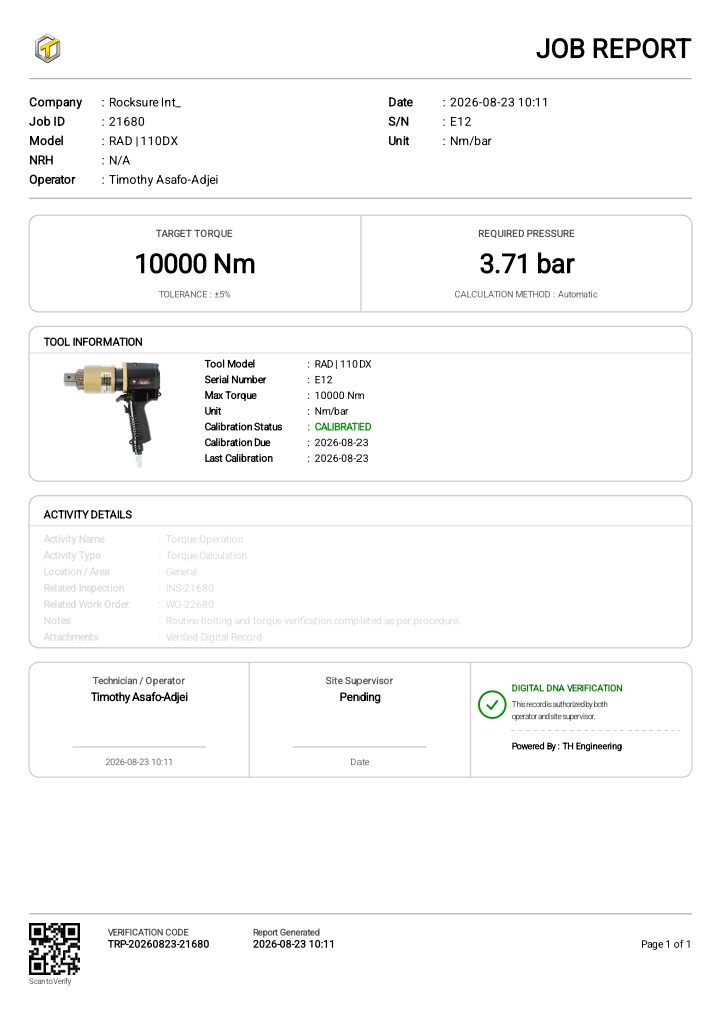
Select a tool, calculate the required parameters and retain a job report for the operation.
Explore calculationTHE CONNECTED WORKFLOW
From the tool you choose to the report you share. Torque Pro Enterprise connects equipment, inspections and field work in one traceable workflow.
THE PLATFORM, IN PRACTICE
Choose a stage to explore the actual app. Each stage has a direct link you can share with your team.
01 / Manage
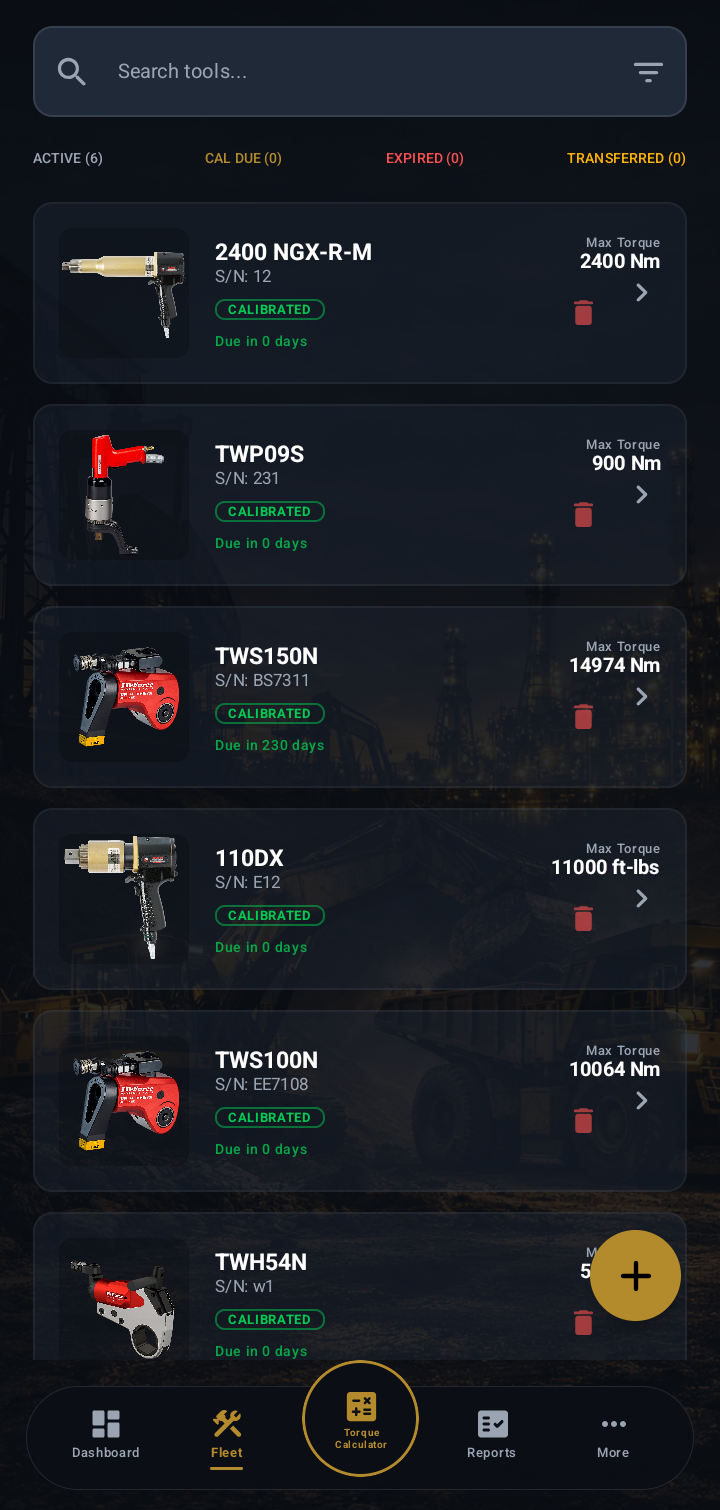
Bring serial numbers, calibration records and tool condition together. Review the fleet, then select the tool for the operation.
What carries forwardAn identifiable tool with its condition and calibration context.
START WITH YOUR OPERATION
Choose the workflow that matches what your team needs to capture.
Select a tool, calculate the required parameters and retain a job report for the operation.
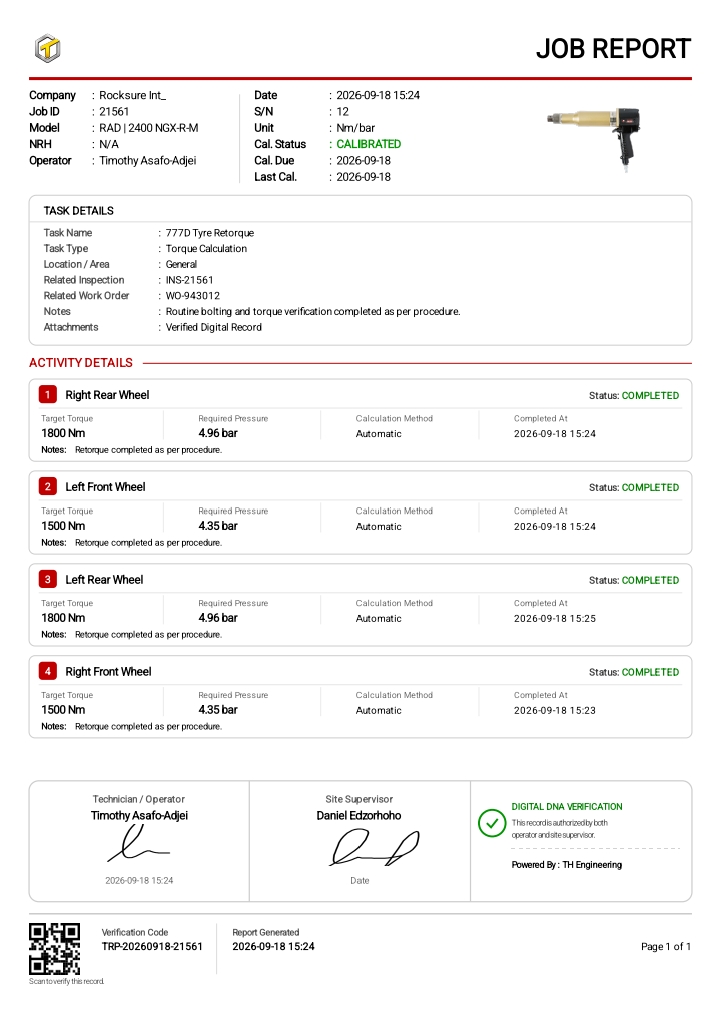
Explore calculationBring multiple field activities, pre-start context and sign-off information together under one task.
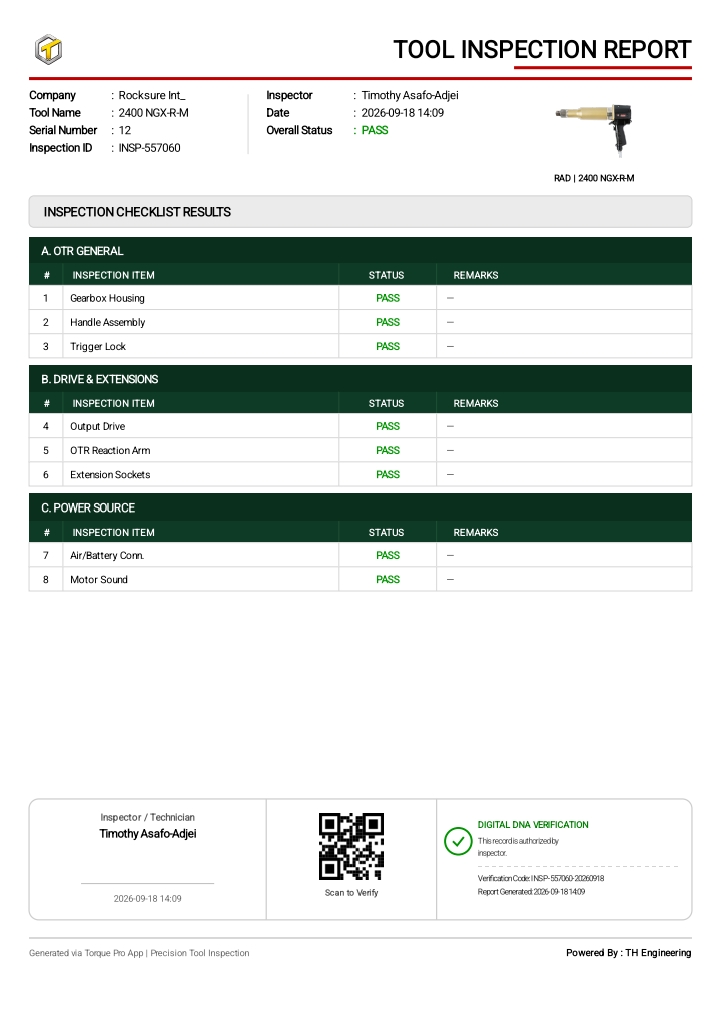
Explore field tasksCapture checklist results, remarks and photos, then carry the inspection outcome into a report.
Explore inspectionsFIND YOUR CAPABILITY
Search by operation, record or equipment need.
10 capabilities
Serial numbers, calibration expiry, usage cycles and maintenance status in one equipment record.
Review tool identity, capacity and calibration data before choosing equipment for an operation.
Support transfers and borrowing between branches or contractors with condition and return records.
Structured pre-use checks, PASS/FAIL findings, remarks and photo evidence.
Connect target torque and hydraulic pressure using selected tool calibration data and units.
Group field activities under a task while retaining their calculation and pre-start context.
Capture work offline, then review queued records and sync acceptance when connected.
Keep technician, supervisor and location information with the recorded operation.
Generate job, task and inspection reports with company branding and verification information.
Follow a QR link or check a report identifier through the public verification page.
RECORDS THAT TRAVEL
BRING YOUR WORKFLOW